Over on SourceCon.com, I’ve written a little dissertation on my journey through the nooks and crannies of Google+. I’m not going to bore all of you with a recount of what I found and my personal opinions on Google’s latest foray into the social networking world — I know none of you have time to read it.
What I do want to do, however, is show you a very easy way to search for prospects on Google+. My hope is that by the end of this article, even the most skeptical recruiter will see the value in using this new resource to unearth potential placements.
I recently asked the following question of two of my Google+ Circles (Sourcing and Recruiting):
What, if anything, are you doing with Google+ from a recruiting standpoint?
Some of the recruiter responses I’ve received have been:
Just building my network for the time when it becomes useful.
I’ve added previous candidate contacts from my past recruitment gigs who are on Google plus.
Started searches of profiles of people I typically source for and started added them in appropriate circles. No direct recruiting yet.
Just posted to Twitter how there has certainly been a lot of “joining” on G+, but not a lot of activity…thus far…
Naturally, the sourcers are poking at it with a stick to see what more can be done through back-door searches. But in order for Google+ to really impress me — and I suspect you as well — there had to be much more.
A Cool Way to Find Candidates Using Google+
In poking around Google+’s own ‘Find People’ search, I discovered something cool. I didn’t realize just how cool it was though until I looked deep into it. Check this out:
- If you run an easy search from ‘Find People’ — “product manager” — you will be kicked out to a regular Google search, but you’ll only be returned profile results. I opened up Advanced Options to see how this was being done, and I didn’t see anything added to my terms. Then, I decided to check out the URL of the search results to see if there was a clue: http://www.google.com/search?q=%22product+manager%22&hl=en&tbs=prfl:e&authuser=0&tok=MYjJXYXyGb2EVkv2zaw-CQ
- Notice the bolded portion of the URL — &tbs=prfl:e — If you pull this out of the search and then run it again, what you get is a regular old search for a “product manager.” See the search results here.
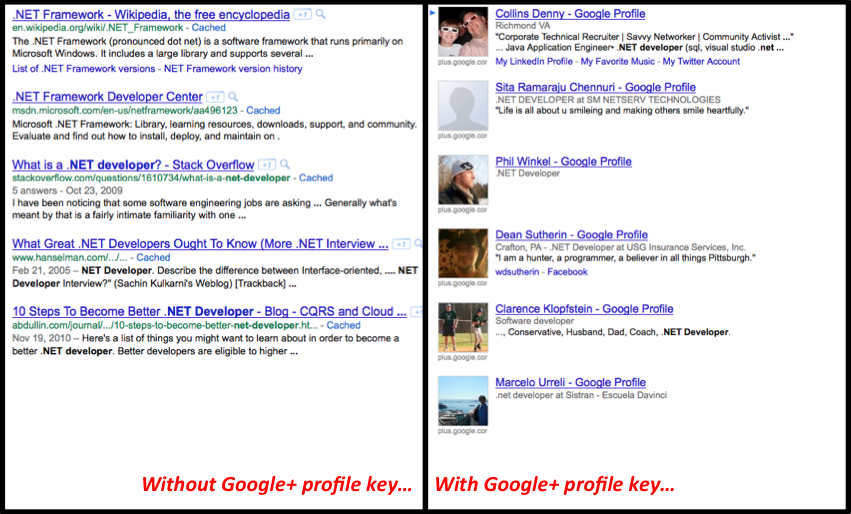
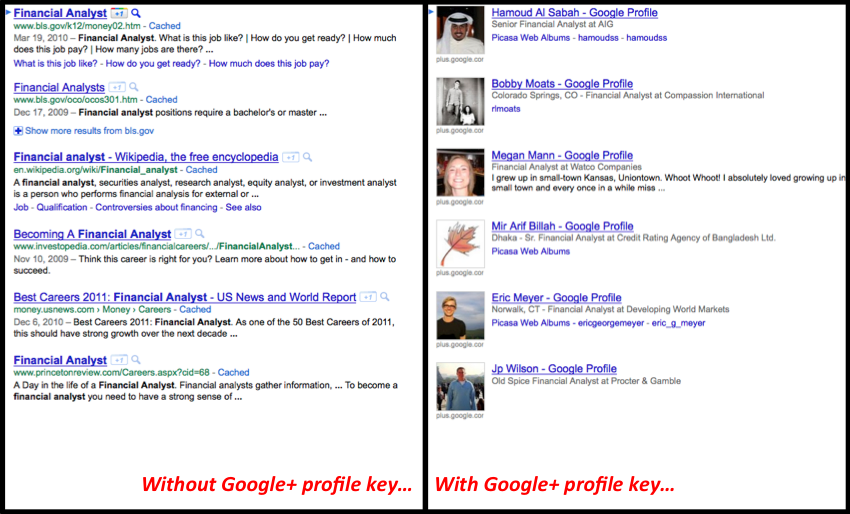
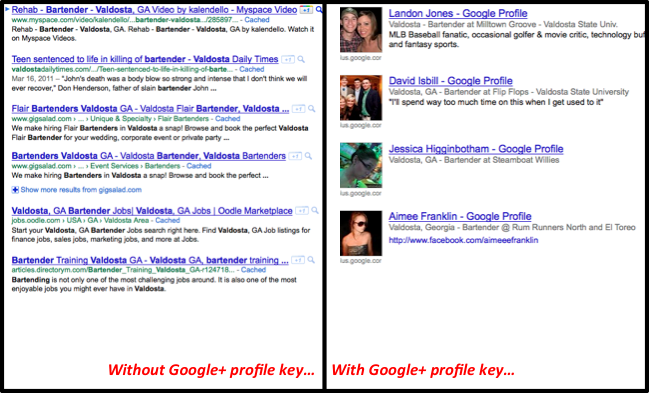
- That tells us that &tbs=prfl:e is the magic key for profile search within Google+. I wanted to see if it would work outside of the Google+ ‘Find People’ search, so I tested it out with a few additional searches. I plugged the following search phrases into a regular Google search — first without the key, and then attaching it to the end of the search results URL:
“.NET Developer”
Just in case you don’t work in a tech field, here is a search for “financial analyst”
And just for good measure, how about a search for “bartender Valdosta” (that’s Valdosta, GA, population approx. 54,000) — just for the ‘wow’ factor
So the simple steps for doing this are the following:
- Open up a web browser and go to www.google.com.
- Do a search for anything you want. You don’t have to know any Boolean; just type in the words you’re looking for.
- Once you reach the search results page, copy the following profile key — &tbs=prfl:e — and add it to the end of the URL (NOT the search box where you typed in your keywords).
- Watch Google+ profile populate your screen!
For those who may be asking, “Why not just use ‘Find People’ — it works the same,” the beauty of this key is that you don’t have to have a Google+ account — or a Google or Gmail account for that matter — in order to use it and find these profiles. You can just tack it on to the end of any Google search result URL to find people. And according to this article by Ilia Draznin you can set up a Profiles search using this key directly from your FireFox awesome bar. I think that’s why I find it so interesting.
Granted — this magic key only works with Google so it’s not a universal search tool like the site: searches Glen Cathey shared, but these search results kind of blew me away.
Hope you find this helpful. Happy Hunting!